Fast, privacy-minded barcode and QR scanner for everyday Android use
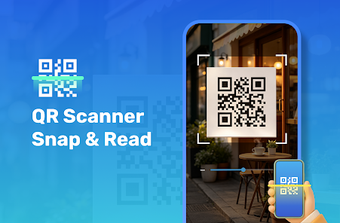
Try EasyScan: Barcode Reader from Health Applines, a compact Android utility for scanning QR codes and barcodes quickly and with minimal setup. The app uses the device camera and gallery import to decode standard 1D and 2D formats, and includes flashlight support for low-light reading. It keeps a searchable scan history and requests only camera permission. Designed for shoppers, inventory staff, and everyday users, EasyScan emphasizes privacy and a small storage footprint.
What types of codes does EasyScan recognize?
EasyScan supports standard 1D and 2D formats, including QR codes and common retail barcodes. Recognition works from the live camera or from images imported from the device gallery, so you can decode codes shown on screens or saved photos. The app's instant recognition engine delivers near-instant results for routine scans, which suits tasks such as checking product details, opening links, or saving decoded text into the searchable history for later use.
Does EasyScan affect device responsiveness during use?
EasyScan is presented as a compact utility with a small storage footprint and fast startup, which reduces its impact on contemporary Android devices. Operation requires granting camera access, and the developer states the app is optimized for modern Android versions. That combination keeps short scanning sessions unobtrusive on recent phones, making it practical to run while shopping or working without noticeable interruptions to other foreground apps.
Is EasyScan safe to use and how does it protect privacy?
EasyScan follows a privacy-focused design and requires only camera access to function; the developer indicates it does not collect personal user data or share sensitive information. The app stores a detailed scan history locally, enabling users to revisit links or product details without relying on cloud sync. Built-in flashlight support also improves decoding in dim conditions while keeping processing local to the device rather than outsourcing scans.
Do I need technical knowledge to operate EasyScan?
EasyScan exposes a clutter-free interface and straightforward workflows so basic operation requires no specialist knowledge. Typical setup involves granting camera access and then using camera, gallery import, flashlight, and history from the main screen. The developer positions the app for shoppers, inventory workers, and general users who need speedy access to decoded links and product information during everyday routines.
Practical choice for everyday scanning with a single caveat
EasyScan is a practical option for Android users who need fast, privacy-conscious code scanning with minimal device impact; the app's compact footprint and limited permission set support that use case. It performs reliably for routine decoding and history lookup, but users with specialized export or advanced inventory workflows should confirm the app meets those specific integration needs before adopting it for complex tasks.